 Harcabil
Türkçe
Harcabil
Türkçe
Never miss a bill again.
Harcabil keeps your bills, dues and subscriptions in one list, and reminds you before they are due.
For iPhone, iPad and Android. It never makes payments or connects to your bank.
Features
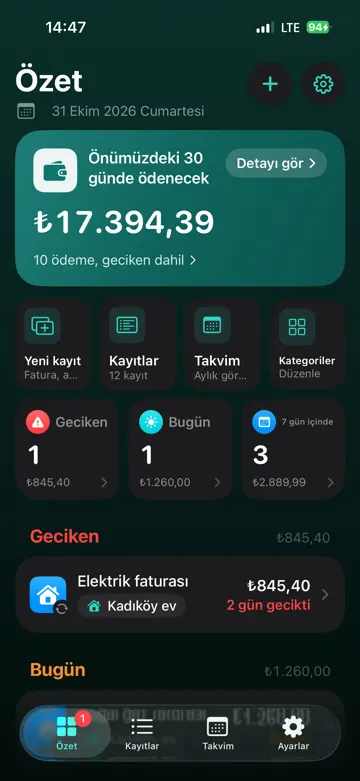
See what to pay and when, at a glance.
Electricity, water, gas, building dues, rent, subscriptions, credit cards. All in one list, sorted by due date.
Overdue on top
Past-due payments stand out in red, with how many days late they are.
Due date reminders
Get notified 7 days before, 1 day before and on the due date, even when the app is closed.
The next 7 days
See what you owe this week and the total, on one screen.
Split by person and home
Track your mother’s water bill and your own gas bill from the same place.
Renewal alerts
Get reminded ahead of yearly renewals like car insurance or an internet contract.
Recurring payments
Enter monthly bills and subscriptions once. Mark one as paid and it moves to the next period.
Screens
Simple and fast.
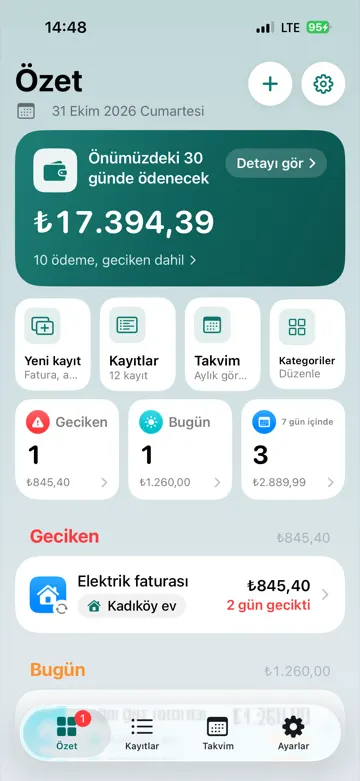
All payments at a glance 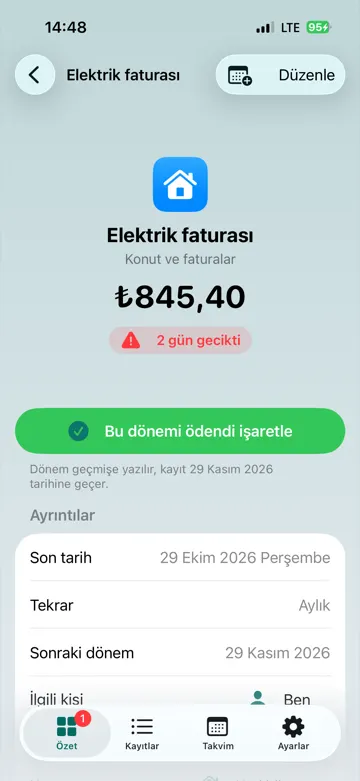
Paid with one tap 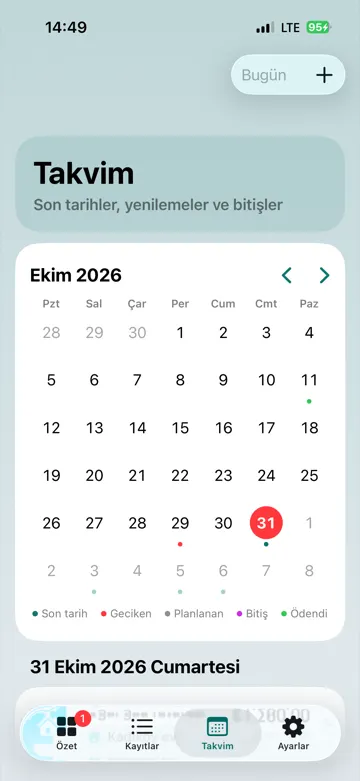
The whole month on a calendar 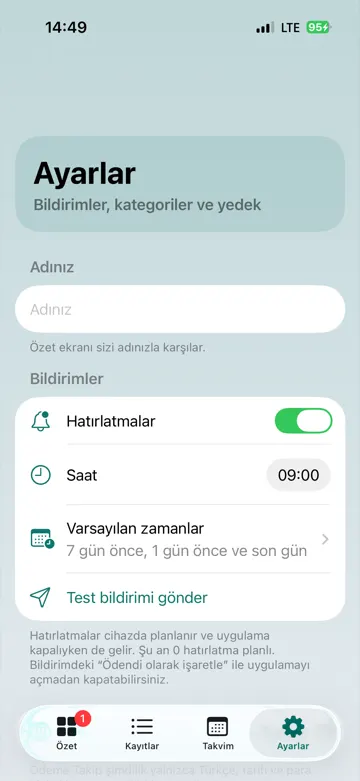
Reminded before it is due
How it works
Start in three steps.
Add a payment
Only the name is required. Pick from quick tags like “Electricity bill” or “Building dues”.
Choose how it repeats
Monthly, yearly or one-off. The amount is optional.
Let it remind you
Harcabil lets you know as the date gets close. Mark it paid and it rolls to the next period.
Privacy
Your data stays on your device.
No account, no server, no ad tracking.
No bank connection
Harcabil never makes payments, never connects to your bank and never sends your data off your device.
Lock it
Lock the app with Face ID or Touch ID.
Back it up
Export a backup and restore it any time. Export all payments to your calendar (.ics).
Don’t miss your next bill.
Download Harcabil and add your first payment.